Skip to content
td44 App / Slots
LIVE LOBBY

td44 — Live Casino, Cricket Betting and Slots for Bangladesh

Titles from JDB, Pragmatic Play and CQ9 sit alongside cricket and football markets, all reachable through your bKash, Nagad or Rocket wallet from the first login. Access depends on your local law and eligible region — open an account to see what is available to you.

bKash Nagad Rocket
Browse games
CONTENT / 01

Titles Worth Opening First in the Lobby

A few titles tend to be the ones new accounts open first, and they are worth knowing about before you arrive in the lobby. Crash Turbo is a crash-format game where the multiplier climbs from the moment a round starts and you choose when to collect — the mechanic is straightforward, and the round history is visible on screen so you can see how previous rounds played out.

  • Crash Turbo

    A crash-format game where the multiplier rises each round and you decide when to collect. Round history is displayed on screen. Simple mechanics, quick rounds, and the outcome of each session is determined by the round in progress — not a pre-set schedule.

  • Slot Flash

    A fast-cycle slot with a bonus round triggered by scatter symbols. RTP information is shown inside the game panel where the provider makes it available. Each spin resolves quickly, making it suited to shorter sessions on mobile as much as desktop play.

  • Roulette Roundtable

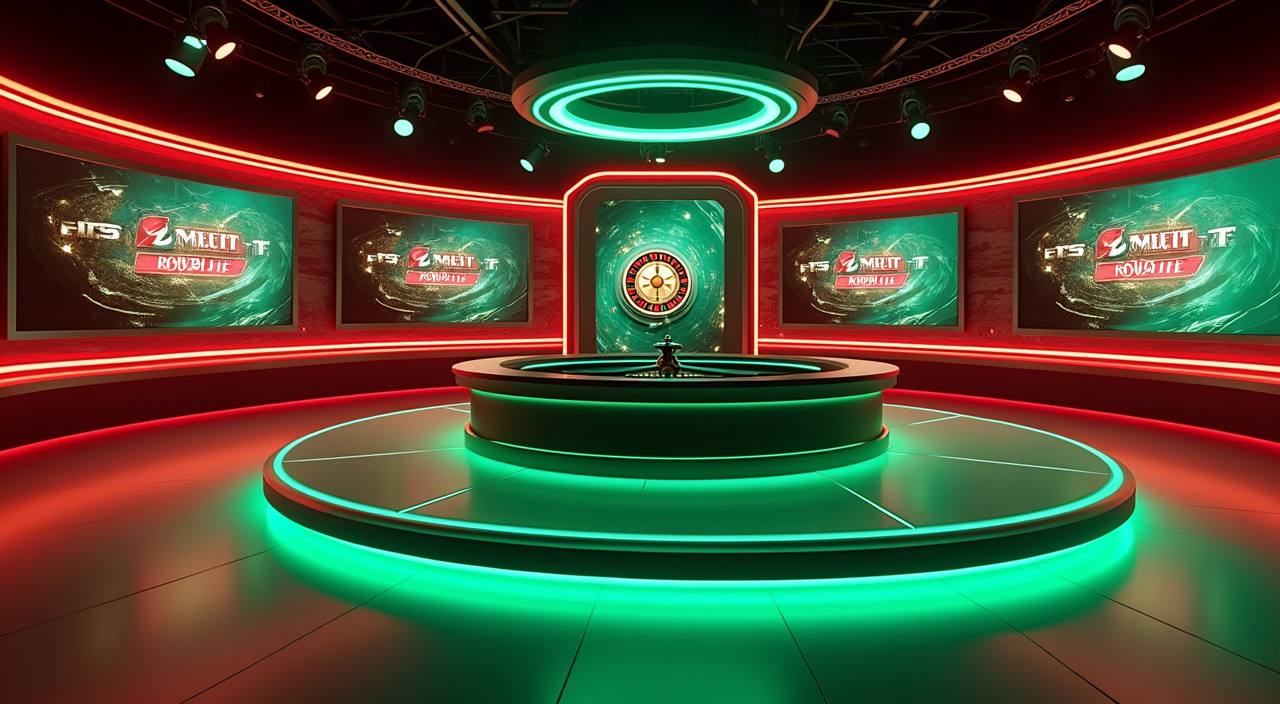
    The live roulette table in the casino section, hosted by a real dealer. Standard European rules apply. The table is available during scheduled live hours shown inside the lobby. Bet history for your session is recorded in your account after the table closes.

  • Football Goalzone

    Football match markets with a focus on goal-based outcomes. Markets are listed per fixture in the sportsbook section. Availability of specific matches depends on the fixture schedule. Check the sportsbook tab for the current list of open markets.

LOCAL PAYMENTS

Deposits Through bKash, Nagad, Rocket and Upay

Your wallet is the first thing you set up after registration. td44 connects to the payment rails Bangladesh players already use daily — bKash, Nagad, Rocket and Upay — so there is no need to create a separate bank transfer flow or enter unfamiliar card details.

  • bKash

    Link your bKash number in account settings and the deposit screen walks you through each field. Transaction records appear in your account history so you can track the status without raising a support ticket. Wallet verification steps, where required, are shown inline during the deposit flow.

  • Nagad

    Nagad deposits follow the same account-linked flow as bKash. Enter your Nagad number once in settings and it appears as a selectable rail at checkout. The amount credited is visible in your account wallet immediately after the payment provider confirms the transfer on their end.

  • Rocket

    Rocket is one of the two payment rails we highlight for account support queries — if a transaction sits pending longer than expected, the Rocket payment reference number in your account history is what the support team will ask for first. Keep it accessible when you reach out.

  • Upay

    Upay works as a direct wallet-to-account transfer. Once your Upay number is saved to your profile, deposits and withdrawals route through the same confirmation screen. Any amount won in the lobby is added straight to your account wallet, and you withdraw from there using Upay at any point.

Banking
ACCOUNT PATH

How to Open and Configure Your td44 Account

Getting started takes a small number of steps, and the order matters because session controls are configured before you reach the lobby. First, open the account registration page and fill in the fields shown — email address, a password you choose, and your phone number.

  1. Step 1 — Register

    Open the registration page, enter your email, choose a password and add your phone number. An email confirmation is sent immediately. Follow the link in that email to activate your account and reach your dashboard for the first time.

  2. Step 2 — Set Session Controls

    Before you deposit, visit account settings and review the session controls panel. You can set a time-based limit or a spending cap from this screen. The current state of your limits is always shown in the dashboard after login — you are not locked in, and you can adjust them there at any time.

  3. Step 3 — Link Your Wallet

    Go to the payment section inside your account and enter your bKash, Nagad, Rocket or Upay number. The system saves the rail to your profile so it appears at checkout without re-entry. If you want to add a second wallet later, the same screen accepts multiple methods.

  4. Step 4 — Explore the Lobby

    With your wallet linked and session controls reviewed, the lobby is open. Cricket and football markets are in the sportsbook tab; live casino tables and slot titles from JDB, Pragmatic Play and CQ9 are in their respective lobby sections. Switch between them without leaving the page.

MEMBER DESK / 06

Offers, support and account controls

01

Game lobby

02

Payment guide

03

Support

DISCOVER / 01

Choose your game

Full lobby
GAME NETWORK
JDB
Microgaming
Joker
Pragmatic Play
CQ9
CONTENT / 04

td44 lobby studios

The td44 lobby carries content from JDB, Microgaming, Joker, Pragmatic Play, CQ9. To check the studio, rules or features of one specific game, open that game card or the published information panel.

  • JDB

  • Microgaming

  • Joker

  • Pragmatic Play

  • CQ9

MOBILE ACCOUNT ACCESS

Your Account Works on Any Mobile Screen

The lobby, your wallet, session controls and support chat all scale to fit a phone screen without a separate download. When you open td44 on a mobile browser, the navigation adjusts to a single-column layout with thumb-sized tap targets — the lobby categories, your account balance and the deposit button are all reachable from the top bar.

  • Session Controls on Mobile

    Your session limits and spending caps are stored in your account, not your device. Open the account menu on any phone and the controls panel is one tap away. Adjustments you make on mobile apply immediately and are reflected on desktop the next time you log in.

  • Wallet Access on Mobile

    bKash, Nagad, Rocket and Upay deposits work through the mobile account page the same way they do on desktop. The payment screen resizes for phone use, and the fields match what your wallet app already shows you — no new account details to memorise.

  • Support Chat on Mobile

    The support chat window opens inside the mobile browser without a redirect. If you need to query a Rocket or Upay transaction while on a phone, the chat and your transaction history are both accessible from the same mobile account menu without switching apps.

CONTENT / 03

Your Account Works on Any Mobile Screen

The lobby, your wallet, session controls and support chat all scale to fit a phone screen without a separate download. When you open td44 on a mobile browser, the navigation adjusts to a single-column layout with thumb-sized tap targets — the lobby categories, your account balance and the deposit button are all reachable from the top bar.

  • Session Controls on Mobile

    Your session limits and spending caps are stored in your account, not your device. Open the account menu on any phone and the controls panel is one tap away. Adjustments you make on mobile apply immediately and are reflected on desktop the next time you log in.

  • Wallet Access on Mobile

    bKash, Nagad, Rocket and Upay deposits work through the mobile account page the same way they do on desktop. The payment screen resizes for phone use, and the fields match what your wallet app already shows you — no new account details to memorise.

  • Support Chat on Mobile

    The support chat window opens inside the mobile browser without a redirect. If you need to query a Rocket or Upay transaction while on a phone, the chat and your transaction history are both accessible from the same mobile account menu without switching apps.

ACCOUNT HELP ROUTES

Support Available Through Your Account and Wallet Channels

Account help is reachable through live chat, email and — for payment queries — directly through the Rocket or Upay transaction reference in your account history. When you open a support chat, having your account email and the payment reference from your transaction history speeds up the conversation considerably.

  • Live Chat

    Open the chat window from the account menu on any screen. The support team handles lobby questions, account access issues and general queries through this channel. Having your account email ready when you open the chat shortens the verification step at the start of the conversation.

  • Email Support

    Email support covers account verification, identity document queries and cases that need a written record. Response times are not published as a fixed figure — the current wait state depends on volume. Use the email address shown in the contact section of your account dashboard.

  • Payment Reference Support

    For Rocket or Upay transaction queries, your account history shows the reference number the support team needs. Pull up the transaction record from the history tab before opening a chat — the team can trace the payment status faster with that reference in hand.

FEATURE BRIEF / 05

Cricket Betting Markets Inside the Sportsbook Tab

Cricket is the sport Bangladesh players open the sportsbook for most often, and the markets reflect that. International cricket fixtures — including matches relevant to the Bangladesh calendar — appear in the sportsbook tab alongside BPL and IPL match listings when those competitions are running.

Game feature guide
  • International Cricket

    International cricket fixtures appear in the sportsbook when they are scheduled. Market types per match are listed in the fixture screen. Odds are live at the time of viewing. No fixture or result is guaranteed in advance — the market list reflects what is currently scheduled and open for your account region.

  • BPL and IPL Markets

    BPL and IPL listings appear in the sportsbook tab during their respective competition windows. Match markets follow the same structure as international fixtures. Check the sportsbook tab during the active competition window to see which matches have open markets for your account.

  • Football Markets

    Football Goalzone and Football BetMarket cover goal-outcome and broader match markets. Both are accessible from the sportsbook section. Pre-match and in-play options are listed per fixture, and the available markets for each game are shown on the fixture detail screen.

ACCOUNT DASHBOARD

What Is Visible in Your Account After Login

After you log in, the account dashboard shows the current state of your wallet balance, your active session controls and any account-level offers that are currently running. We do not publish a fixed schedule for what appears there — the current state is shown in your account dashboard after login, and it reflects your account status at that moment.

  • Wallet Balance

    Your current balance across linked wallets — bKash, Nagad, Rocket or Upay — is displayed on the dashboard. Any amount added to your wallet from a game session appears here. Withdrawal requests are also initiated from this screen, using the same wallet rail you deposited with.

  • Session Control Status

    The dashboard shows your active session limit settings at a glance. If no limit is set, the panel prompts you to configure one. Current limit values are editable from this screen; changes take effect according to the cooling-off period described in the account settings panel.

  • Account Offers

    Account-level offers, where available for your account, appear in the dashboard after login. There is no external board to check — if something is running for your account, it is shown here. The type and availability of any offer depends on your account status and eligible region.

Login
TRUST / 03

Controls That Are Set Before the First Bet

Session limits, spending caps and the option to pause your account are available in the account settings panel before you make a deposit. We put these controls at the start of the account flow — not buried in a help page — because the right time to think about them is before you are already in a session. The dashboard always shows your current control settings after login.

  • Session Time Limits

    Set a time cap on your sessions from the account settings panel before your first deposit. The current limit is always visible on your dashboard after login. Adjustments follow the cooling-off period described in the settings screen — the period is shown there, not invented here.

  • Spending Caps

    A spending cap lets you define how much can move through your account in a given period. The cap options and the period definitions are shown inside the account settings panel. Once set, the system enforces the cap at the checkout stage — it does not rely on you to track it manually.

  • Account Pause

    If you want to stop activity on your account for a period, the pause option is in the account settings panel. It does not require a support request. The duration options are shown on screen. While paused, the lobby is not accessible from your account regardless of device.

  • Support for Control Queries

    If you cannot find a control, cannot apply a limit or want to discuss your account settings with someone, live chat and email support are available. For payment-related control queries — such as a spending cap that did not apply as expected on a Rocket or Upay transaction — have your account history reference ready.

Learn more →
PLAYER INDEX / 07

Game Mechanics and Account Terms in Plain Language

A short reference for the terms you will come across in the lobby and your account settings. These are definitions of how things work, not promises about outcomes.

Player guide and glossary
  • What is a bonus round in a slot game?

    A bonus round is a game mechanic built into certain slot titles — it is triggered by a specific symbol combination (usually scatters) and gives you a set of additional spins or a separate prize screen within the same game. The rules and trigger conditions for the bonus round are described on each slot's information panel inside the lobby.

  • What does RTP mean and where do I find it?

    RTP stands for Return to Player and describes the theoretical percentage of wagered amounts a game returns over a very large number of rounds. We display RTP figures only where the studio that built the game exposes them. If a game shows an RTP figure, you will find it on the game information panel inside the game screen. We do not publish estimated or invented RTP values.

  • What is a crash game and how does Crash Turbo work?

    A crash game is a format where a multiplier climbs from the start of each round and you decide when to collect your stake multiplied by that value. If the round ends before you collect, the round is lost. In Crash Turbo, the round history is displayed on screen so you can see how previous rounds resolved. Each round is independent — past rounds do not influence future outcomes.

  • What is a session limit and how is it different from a spending cap?

    A session limit controls how long a single play session can last before your account pauses automatically. A spending cap controls how much can move through your account over a defined period — for example, per week. Both are set in the account settings panel. The session limit is time-based; the spending cap is amount-based. You can set one, both or neither from the same screen.

  • What does 'account wallet' mean on td44?

    Your account wallet is the balance held inside your td44 account — separate from your bKash, Nagad, Rocket or Upay wallet on your phone. When you deposit, funds move from your mobile wallet to your account wallet. Winnings from the lobby are added to your account wallet. When you withdraw, the amount moves from your account wallet back to your linked mobile wallet.

  • What is a live casino table?

    A live casino table is a game hosted by a real dealer, streamed by video to your screen. You place bets through the interface on your screen and the dealer runs the physical game — cards, roulette wheel or dice — in real time. Roulette Roundtable is the live roulette option in the td44 lobby. A stable connection gives a noticeably better experience on live tables compared to other game types.

Full glossary
LOBBY / 02

One mobile lobby, distinct game areas

Roulette Roundtable Live Roulette Roundtable Access → Hunza Peak Prize Slots Hunza Peak Prize Access → Football BetMarket Sports Football BetMarket Access → Crash Turbo Slots Crash Turbo Access → Slot Flash Slots Slot Flash Access → Football Goalzone Sports Football Goalzone Access →
EXPLORE FURTHER / 04

Explore detailed guides

Local lobby check

QUICK ANSWERS

Frequently asked questions

Answers to the account, payment and lobby questions that come up most in support conversations. If your question is not here, live chat is the fastest route to an answer.

Read FAQ →
How do I deposit using bKash on td44?

After registering, go to the payment section of your account settings and enter your bKash number. Once saved, bKash appears as an option at the deposit checkout screen. Follow the field instructions shown there — the steps align with what your bKash app already shows for outgoing transfers. The deposited amount appears in your account wallet after the bKash transfer confirms on their end.

Can I use Nagad and Rocket on the same account?

Yes — you can link multiple wallets to one td44 account. Go to the payment section of your account settings and add each wallet separately. Both Nagad and Rocket can be saved as active payment rails on the same profile. At checkout, you choose which linked wallet to use for that specific transaction. Switching between them does not require re-entering your details each time.

Is td44 accessible in Bangladesh?

Availability depends on your local law and eligible region. td44 is built for Bangladesh players and the account flow, payment rails and support channels are configured for the Bangladesh market. Whether access is permitted in your specific situation is governed by applicable local regulations. Review your local requirements before opening an account.

How do I set a spending cap before I start playing?

Log in and go to account settings before you make your first deposit. The session controls panel is listed there — it includes the spending cap fields with period options shown on screen. Enter the amount you want to set, select the period and confirm. The cap is applied at checkout immediately. The current cap value is always visible on your account dashboard after login.

What do I do if a Rocket payment is pending in my account?

Open the transaction history tab in your account and note the Rocket payment reference number for that transaction. Then open the support chat from the account menu. The support team will ask for your account email and that reference number to trace the payment status with Rocket. Having the reference ready before you open the chat speeds up the process considerably.

Which studios supply the games in the td44 lobby?

The game content in the td44 lobby comes from five studios: JDB, Microgaming, Joker, Pragmatic Play and CQ9. These studios supply slot titles, live dealer tables and table game variants. You do not need a separate account with any studio — their titles are accessible directly through the td44 lobby after your account is active. Studio availability may vary by account region.

How do I pause my account if I need a break?

The account pause option is in the account settings panel — the same place as your session and spending controls. It does not require a support request. Select the pause option, choose the duration shown on screen and confirm.

READY WHEN YOU ARE

td44 game lobby

Access may be available only where local law permits.

Register Login